Support
We are concerned about the quality of your experience and are committed to providing you with the best possible support. Our dedicated team is here to assist you with any questions, issues, or guidance you may need. Whether you’re seeking technical help, product information, or troubleshooting advice, we’re here to make sure your experience is as smooth and positive as possible.
Please explore our support resources or reach out directly for personalized assistance. Your satisfaction and success are our priorities.
Create a Support Case
First it is important to consider who/what is the requester:
- User focused:
- Accessing problems
- Lost Organizations
- MFA enabling / disabling
- Organization focused
- Billing
- Resources
- Not working well
- Removed
- Credentials
- Guidance
- Troubleshooting
- Plans
- Schedule not working properly
- Unable to add/remove/update resources
- Users
- Adding/removing/updating users
- MFA enforceability
When the "who" and what are defined:
- Go to the Cloud Plans console portal
- If the request is for a Organization:
- Connect to the Organization first
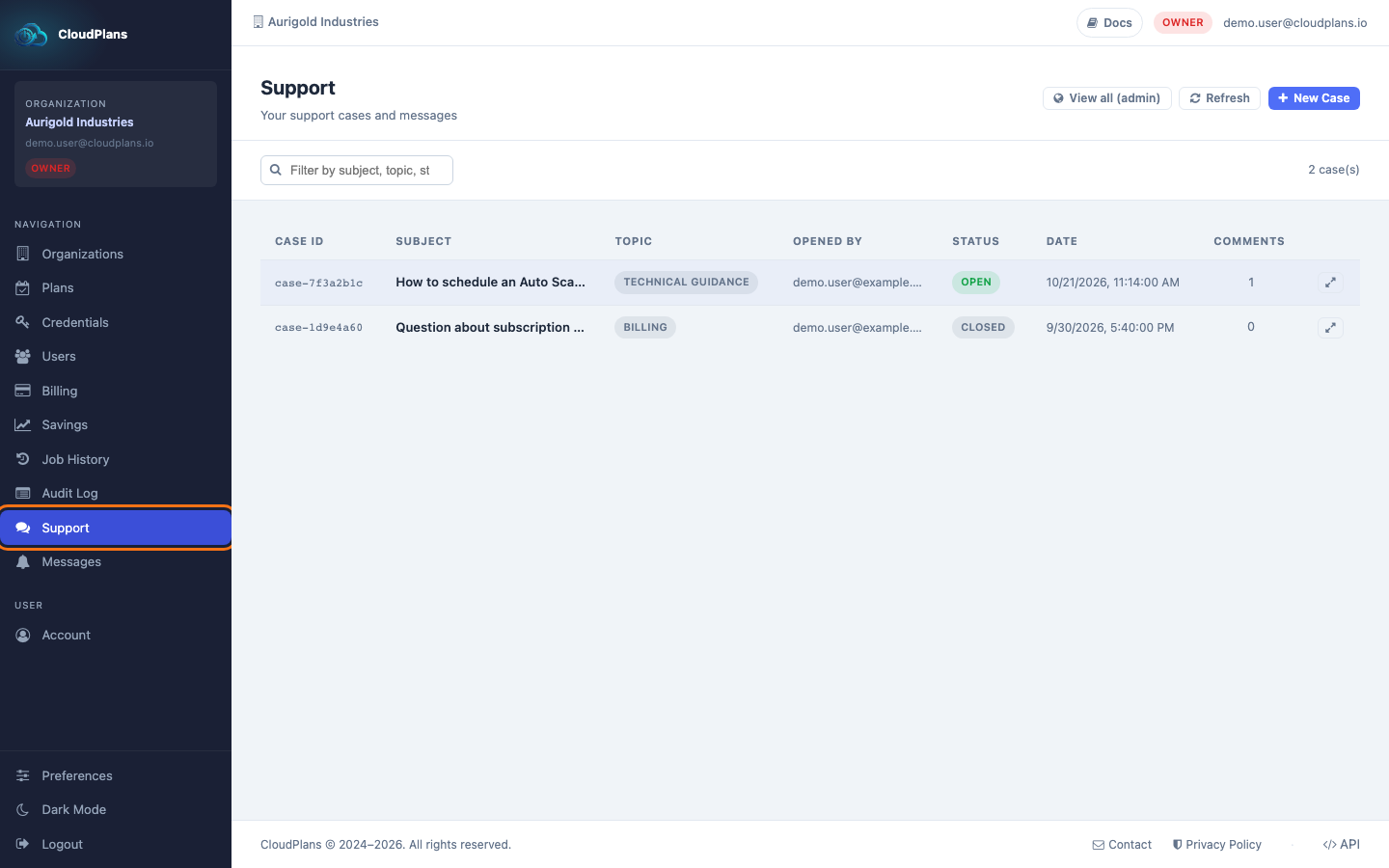
- Click Support in the left menu
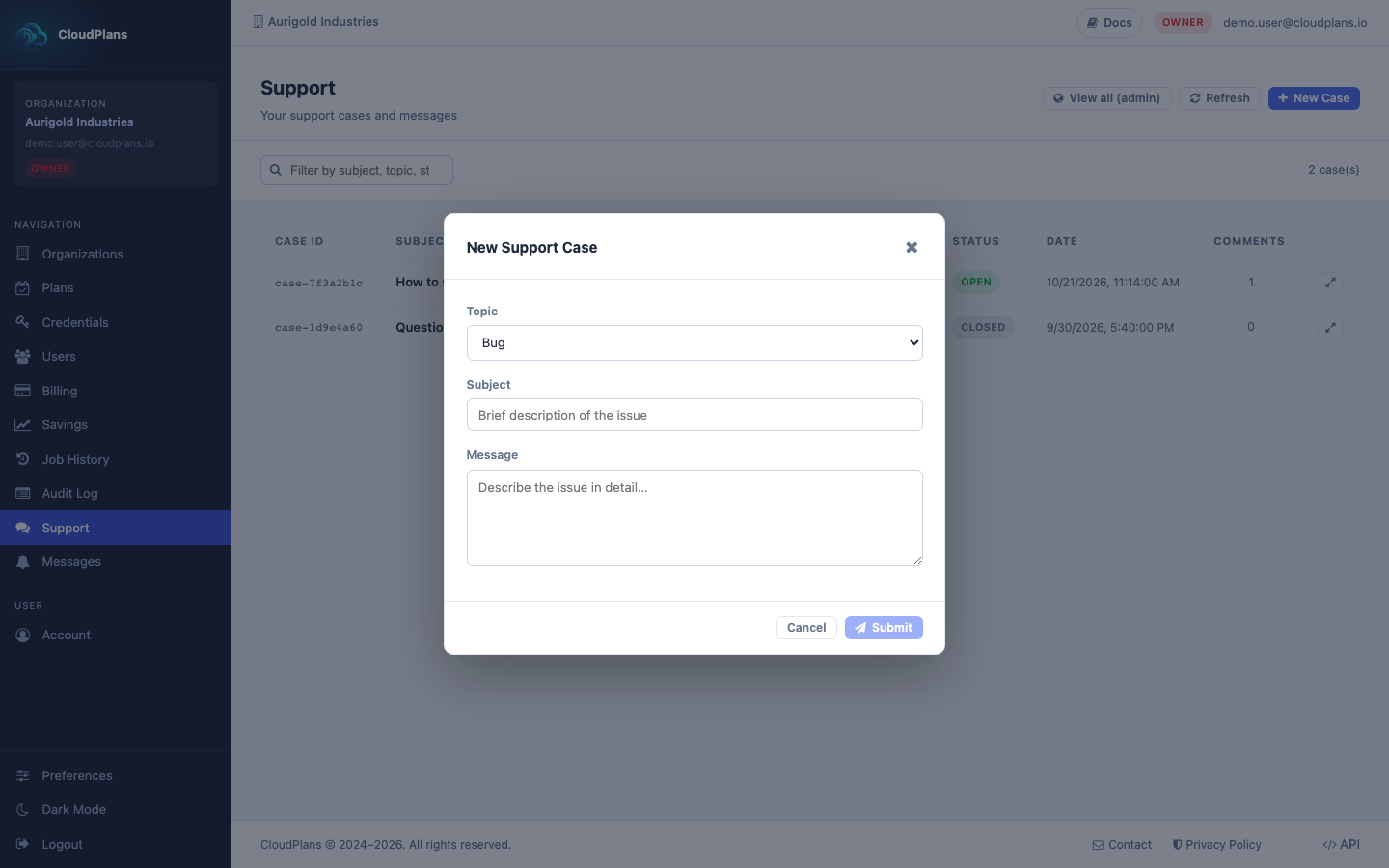
- Click New Case, choose the Topic, write the Subject and the Message and click Submit
- Once the case is open you will see it in the list of the same page (if you want to get any Organization Support cases and if you have the correct role, first ensure you have the Organization selected)
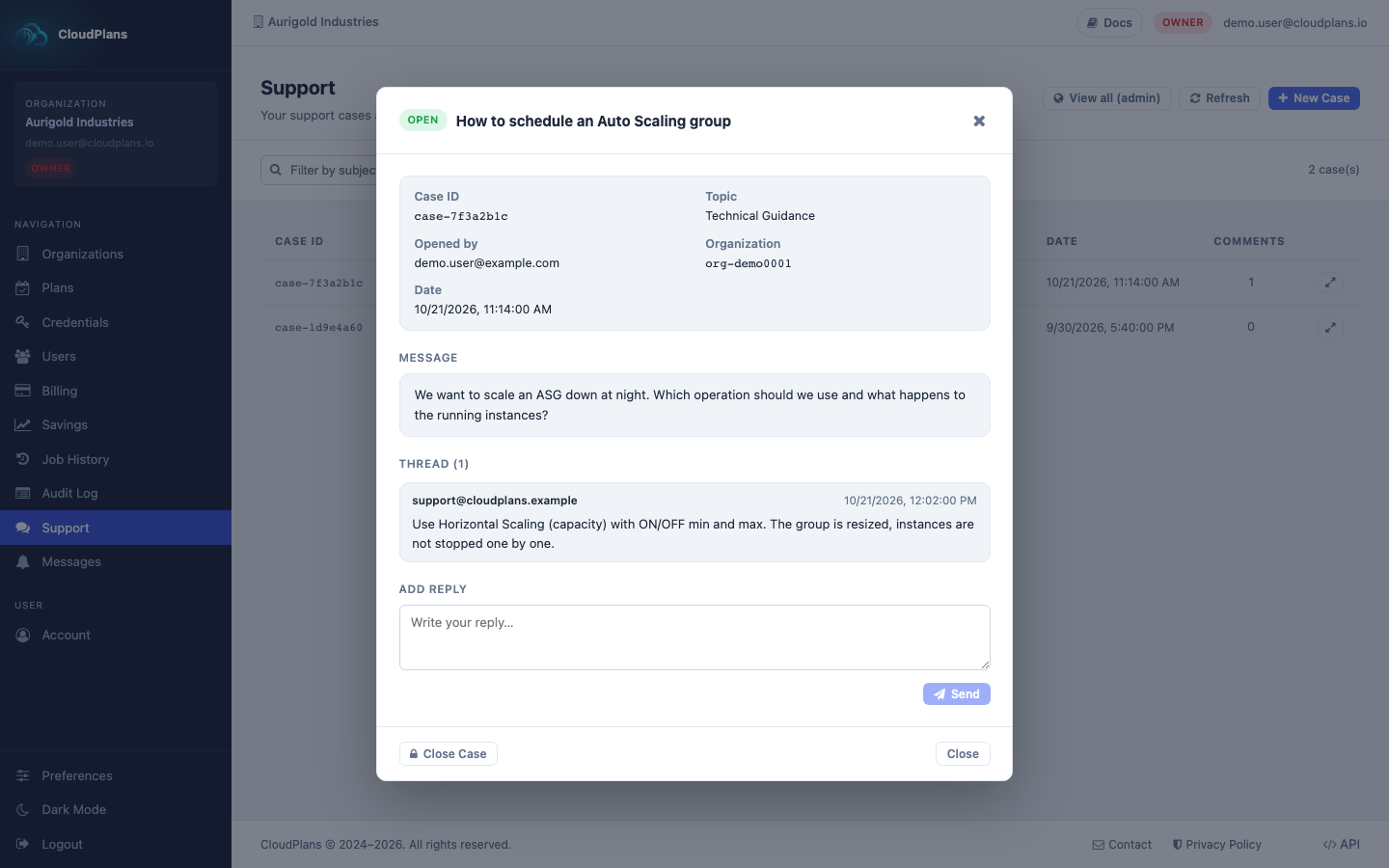
- Click the View / Reply icon at the right of the case to get the full conversation and manage it (answer, ask, close or re-open)