Update Resources
Every element of a Plan can be updated to follow the changes of your environment. For example you can:
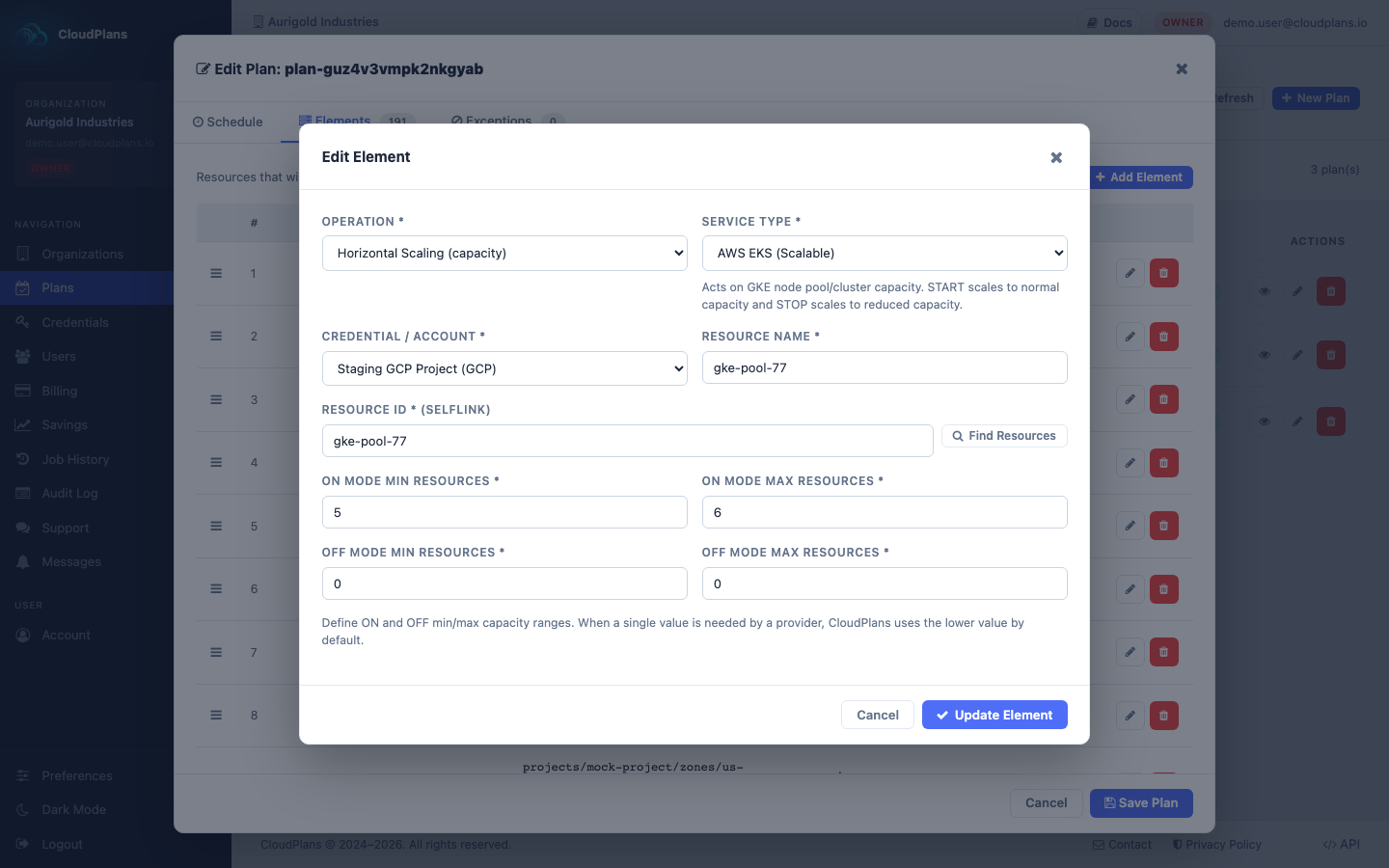
- Change the resource ID if you redeployed the resource and the reference changed
- Change the name according to your current preferences
- Change the credential, the region or the resource group
- Change the ON/OFF capacity or size of a service that is scaled or resized
Every change is recorded in the Audit Log, so it is traceable.
Just follow these simple steps:
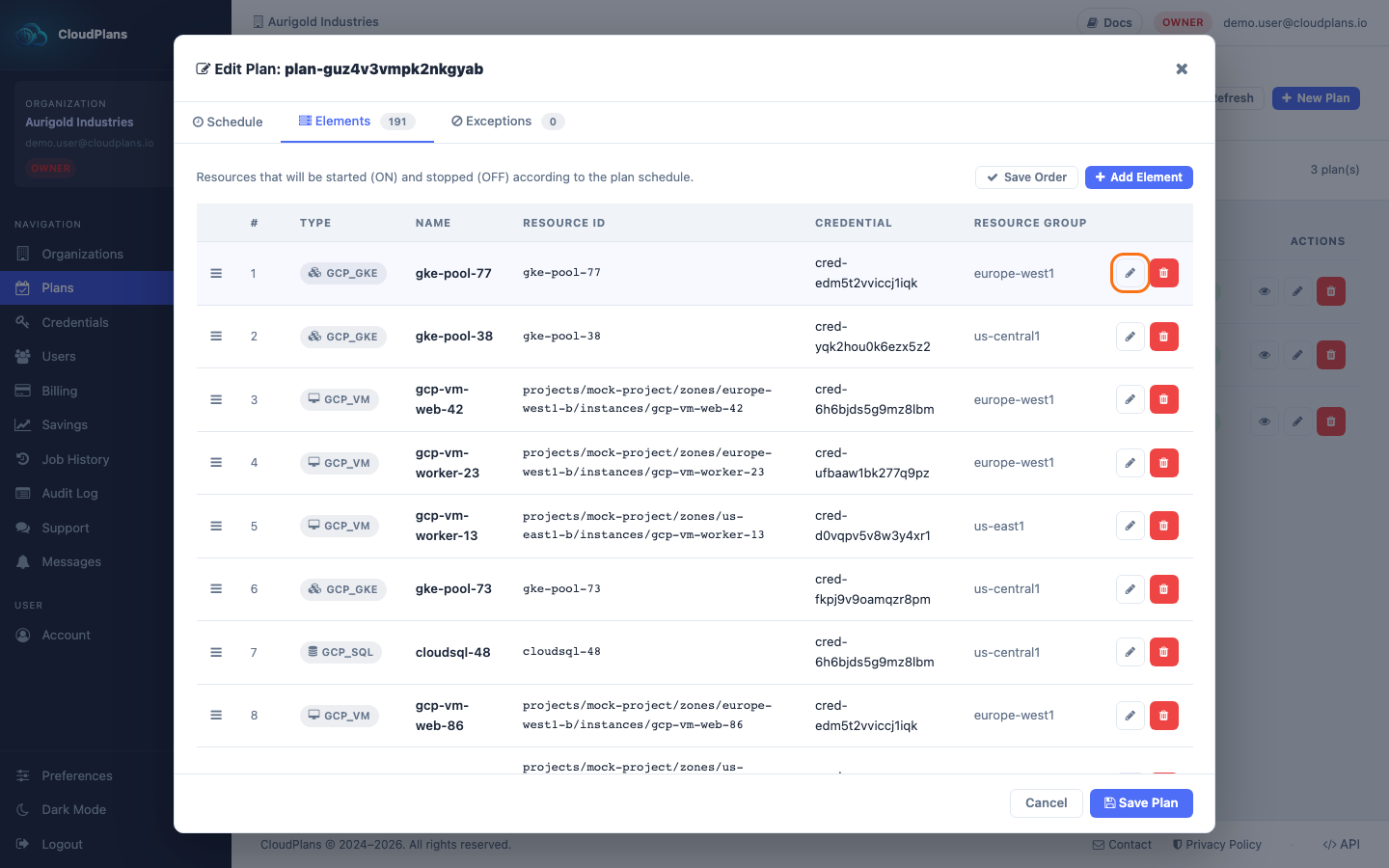
- Open your desired plan in edit mode from the Plans menu and go to the Elements tab
- Click the pencil (Edit) icon at the right of the element
- In the form, change whatever you need and then click Update Element
- Click Save Plan to apply the changes