Manage
Update
Usually IAM changes in organizations, and Cloud Plans ease you the maintenance of your plans. If a AWS Role changes in an Account, you can update the Credential associated to that role, that way you won't need to change anything else.
- When Connected to a Organization. Go to \
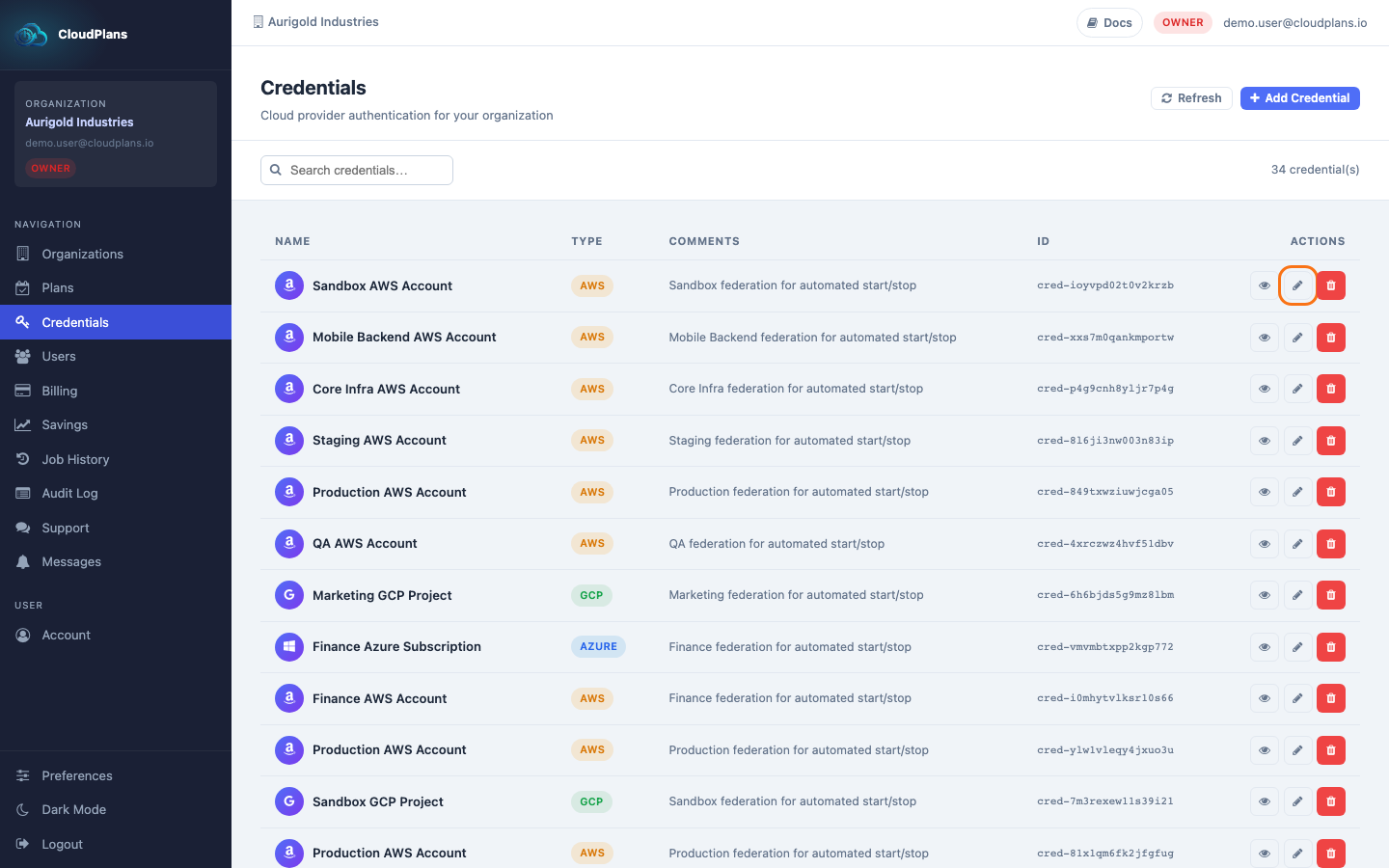
- Select the Credential you need to update and click on the pencil (Edit) icon at the right side of the credential
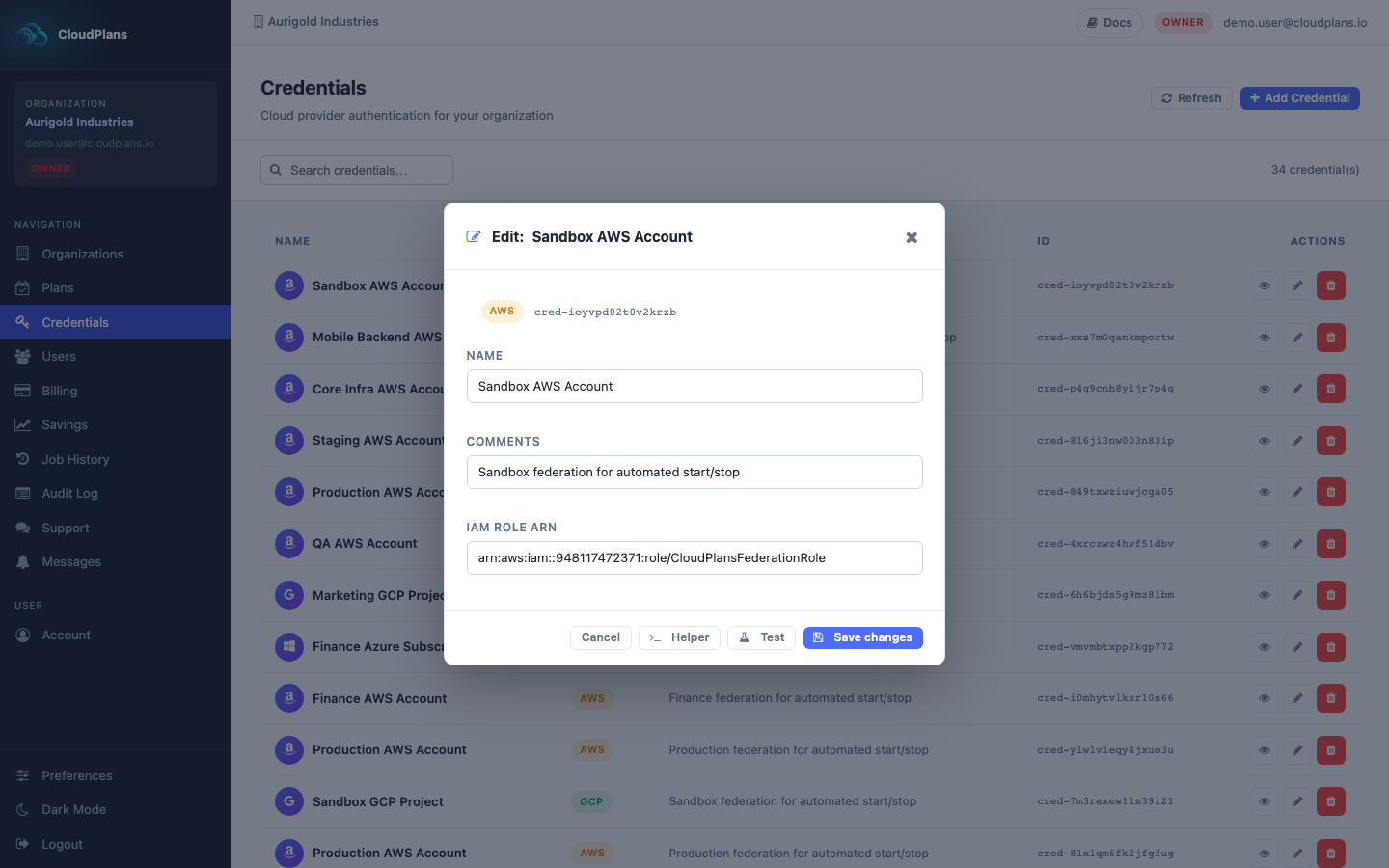
- Every parameter can be updated, then click Save
Delete
Maybe you created some credentials for project not in use or without resources currently. It is a best practice to keep your resources as clean as possible so CP provide you the ability to delete every Credential.
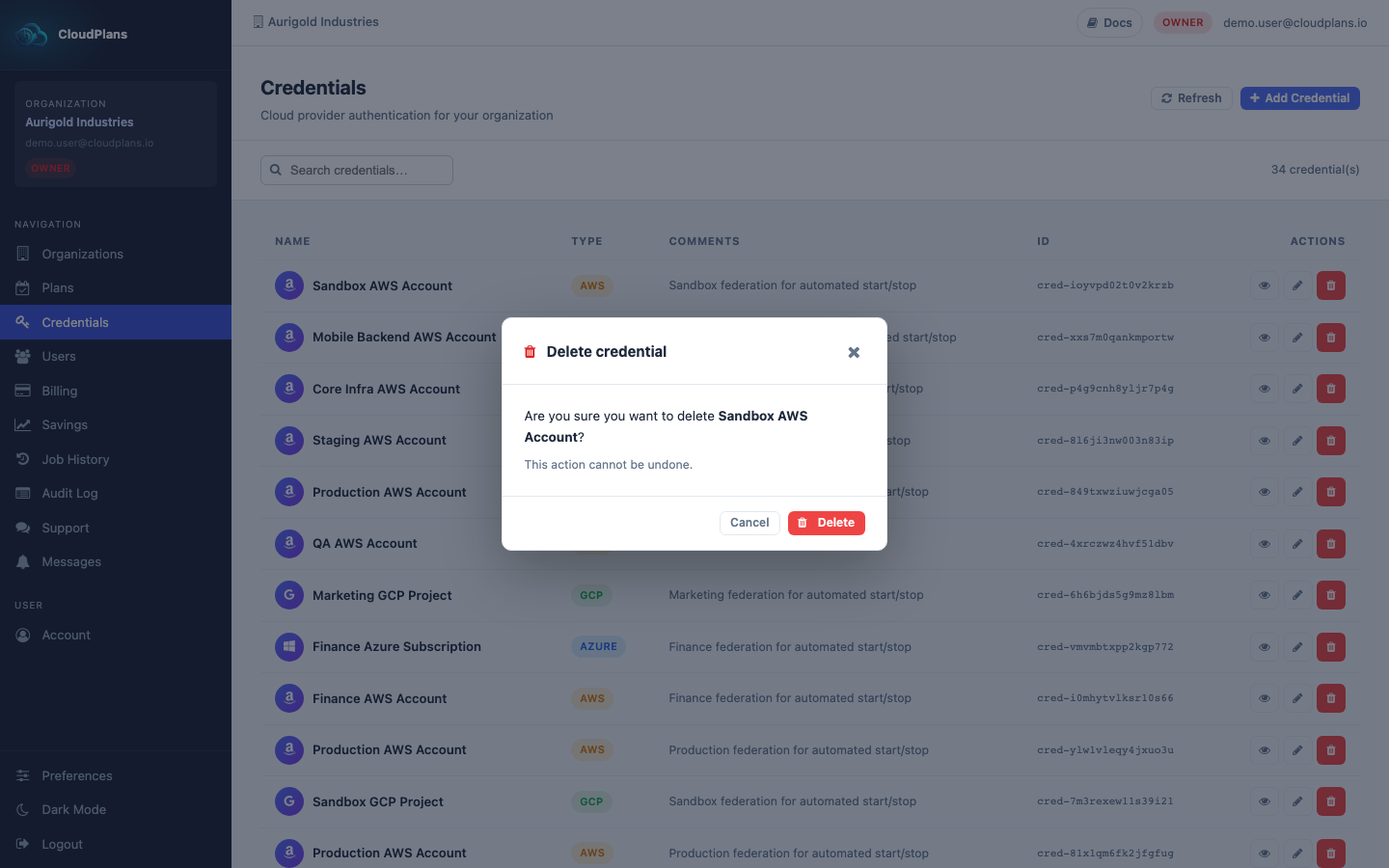
- Click on the red trash (Delete) icon at the right side of the Credential
- Confirm the action in the Delete credential window. It cannot be undone.