Delete
Only a OWNER can delete it's Organizations
You can DELETE your Organization. It is important to know that after a Organization is deleted, no data will be able to be downloaded and there are no way to recover your previous configuration easy.
You can not DELETE a Organization with pending invoices but the resources associated will be deleted.
Simple step is needed:
- Go to Organizations
- Click the red trash (Delete organization) icon in the row of the Organization. It is only shown to the owner
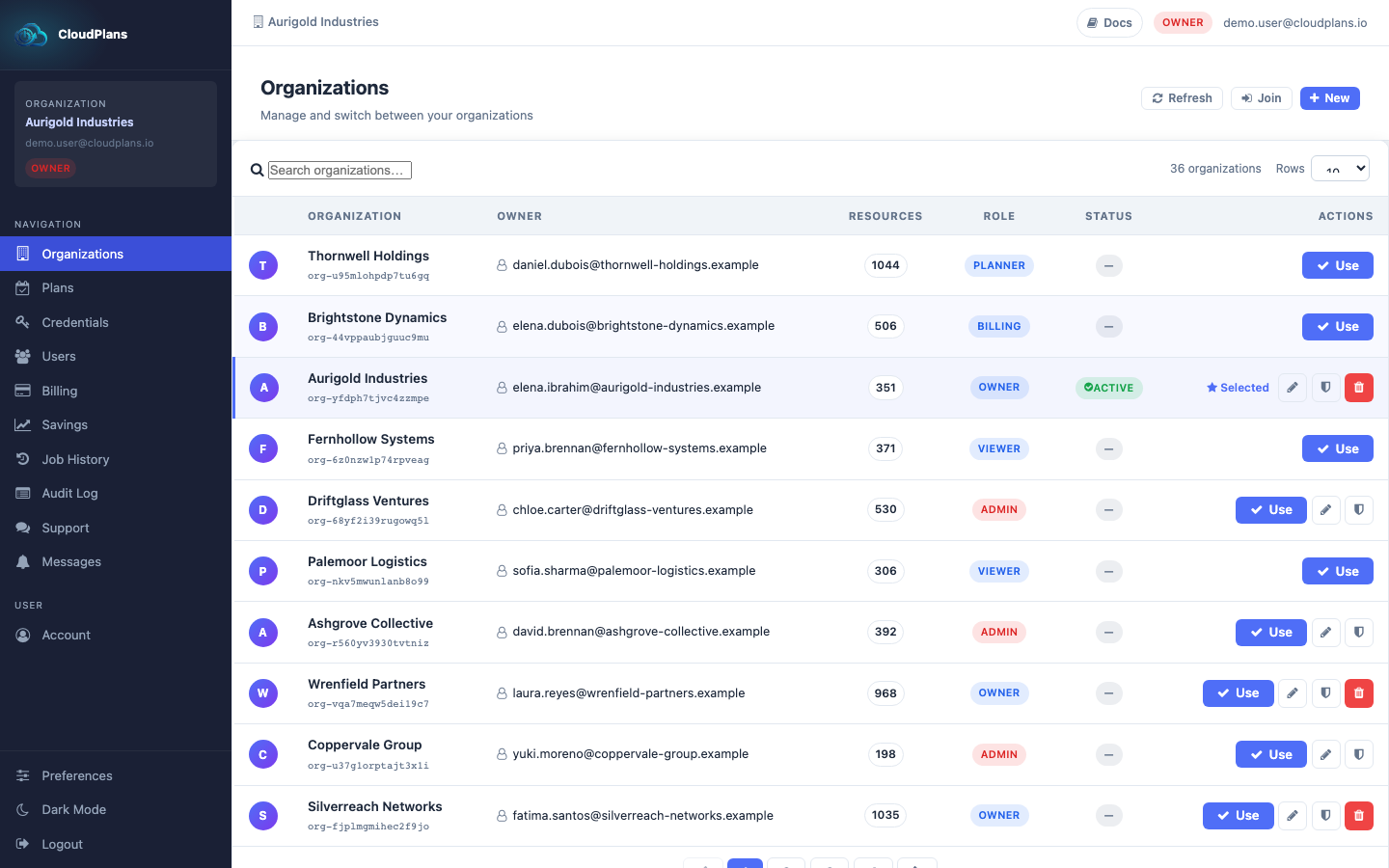
- Your browser asks you to confirm the deletion (the message includes the Organization name and ID and warns that the Stripe subscription will be cancelled). Accept it and the Organization will be deleted. This cannot be undone.